
Today we've released Streaks Strokes, our new indoor rowing app for iPhone and Apple Watch.
Streaks Strokes connects to your rowing machine, shows each stroke as you row, saves your workouts to Apple Health, and keeps a streak of the days you row. If you've used Streaks, the idea is the same, but for rowing.
You can download Streaks Strokes now for free on the App Store.
Works With Your Rower
If you have a Concept2 RowErg with a PM5 monitor, Streaks Strokes connects to it over Bluetooth, with no account or pairing codes. After the first time, it connects by itself whenever you open the app near your rower.
Your pace, distance, power and stroke rate come straight from the PM5. The app also sets up the PM5 for your workout. For example, if you choose to row 2000m, the monitor counts down the distance with you.
Once you start rowing, you don't need to touch your phone. The PM5 records your strokes, your Apple Watch records your heart rate (which also shows on the PM5's screen), and when you stop, everything is saved to Apple Health. In our next update, your rows will also upload to your Concept2 Logbook automatically.
No PM5? Use Your Apple Watch
Many rowing machines (especially at home) don't have a smart monitor. For these, Streaks Strokes uses your Apple Watch instead. The watch app counts each stroke from the movement of your wrist, and there's nothing to set up, as it adjusts to your stroke as you row.
During the row you'll see your time, stroke rate, heart rate and calories, and your total number of strokes when you finish.
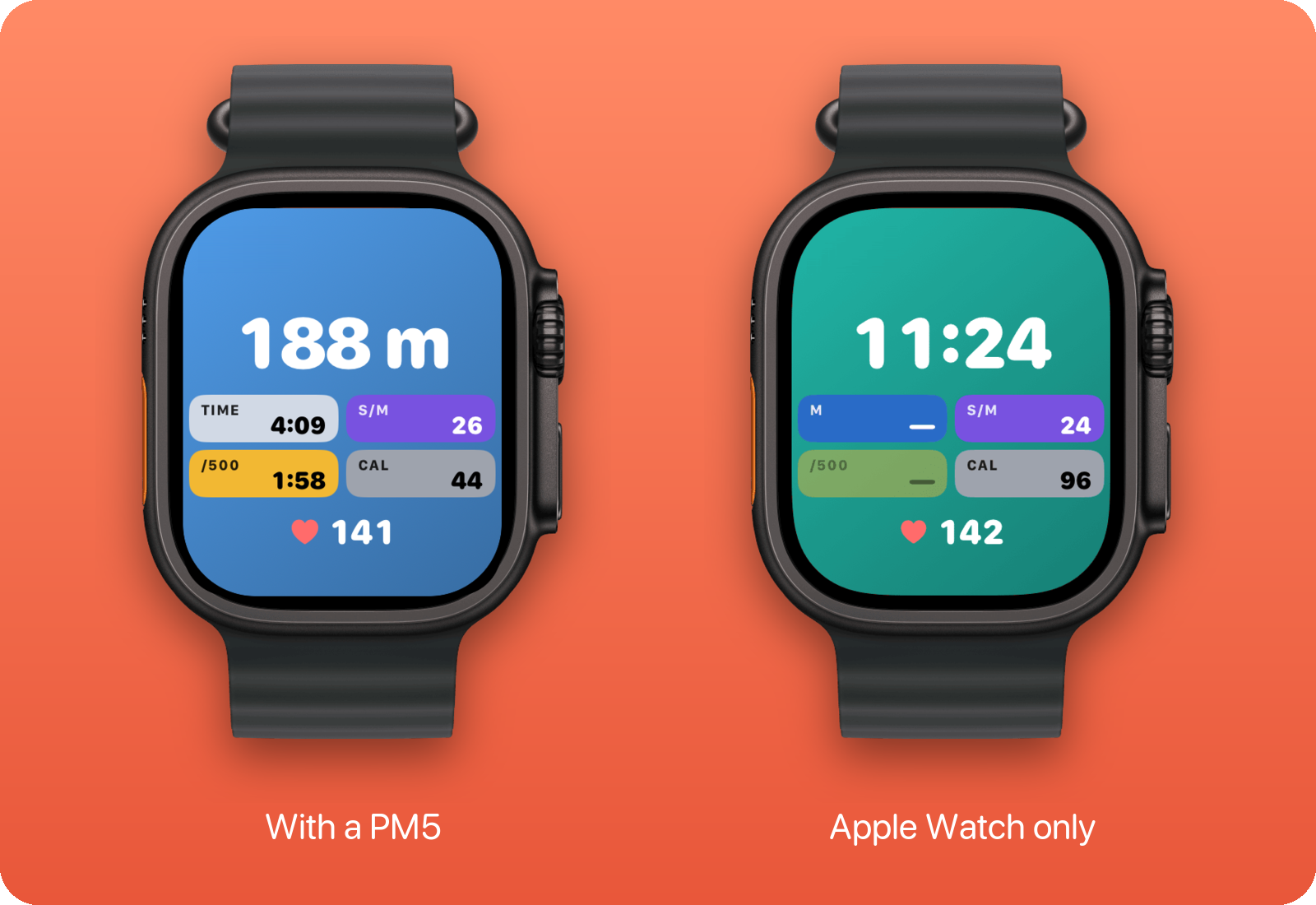
The Apple Watch can't tell how fast the rowing machine's flywheel is spinning, so we can't reliably provide distance or distance.
If you don't have a PM5 or an Apple Watch, your iPhone can time the row.
During A Row
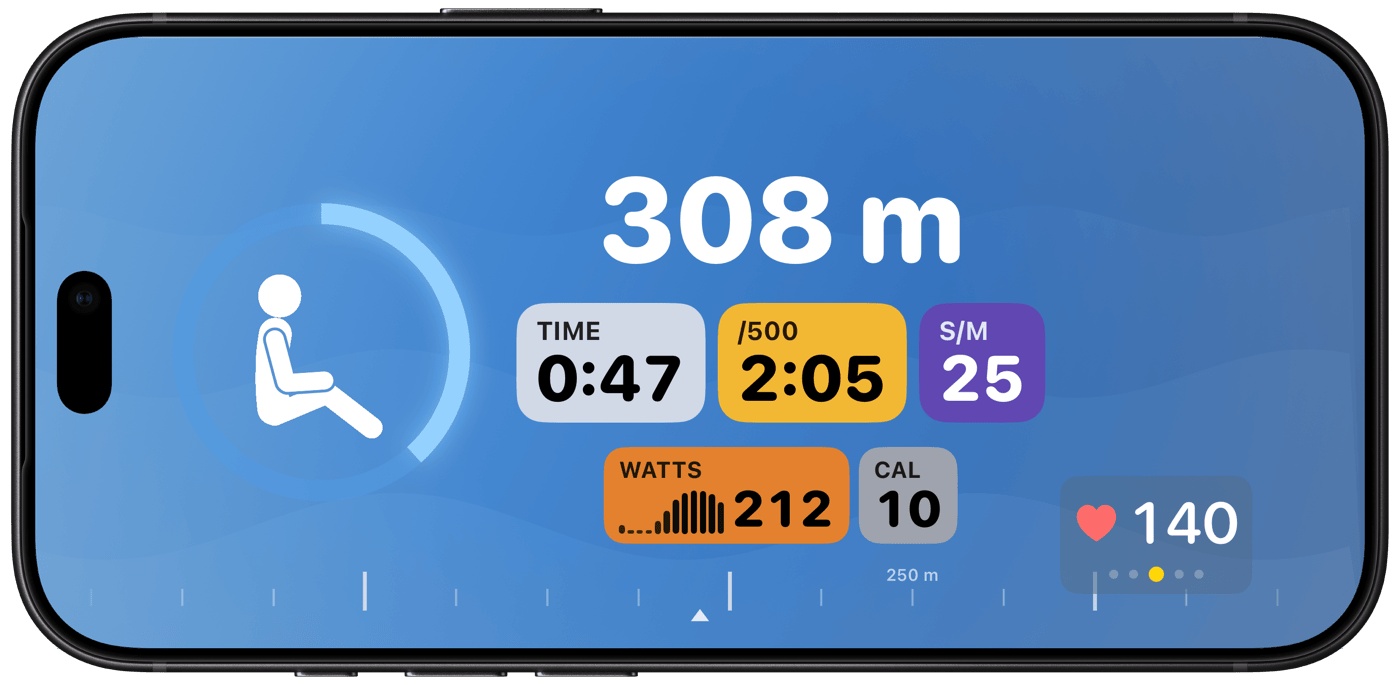
While you row, your pace, stroke rate, power and distance sit inside a ring that fills as you go. In the middle, a rower strokes along at your rate, and your heart rate zone is in the corner.
Many rowers come with a device holder for your phone or tablet. Put your phone in it sideways and the Streaks Strokes layout adapts, so you can see everything while you row. If your rower didn't come with one, Concept2 sells it separately, or if you have access to a 3D printer, you can print your own.
When you finish, you'll see your splits, your time in each heart rate zone, and the power of every stroke.
Don't Break The Chain
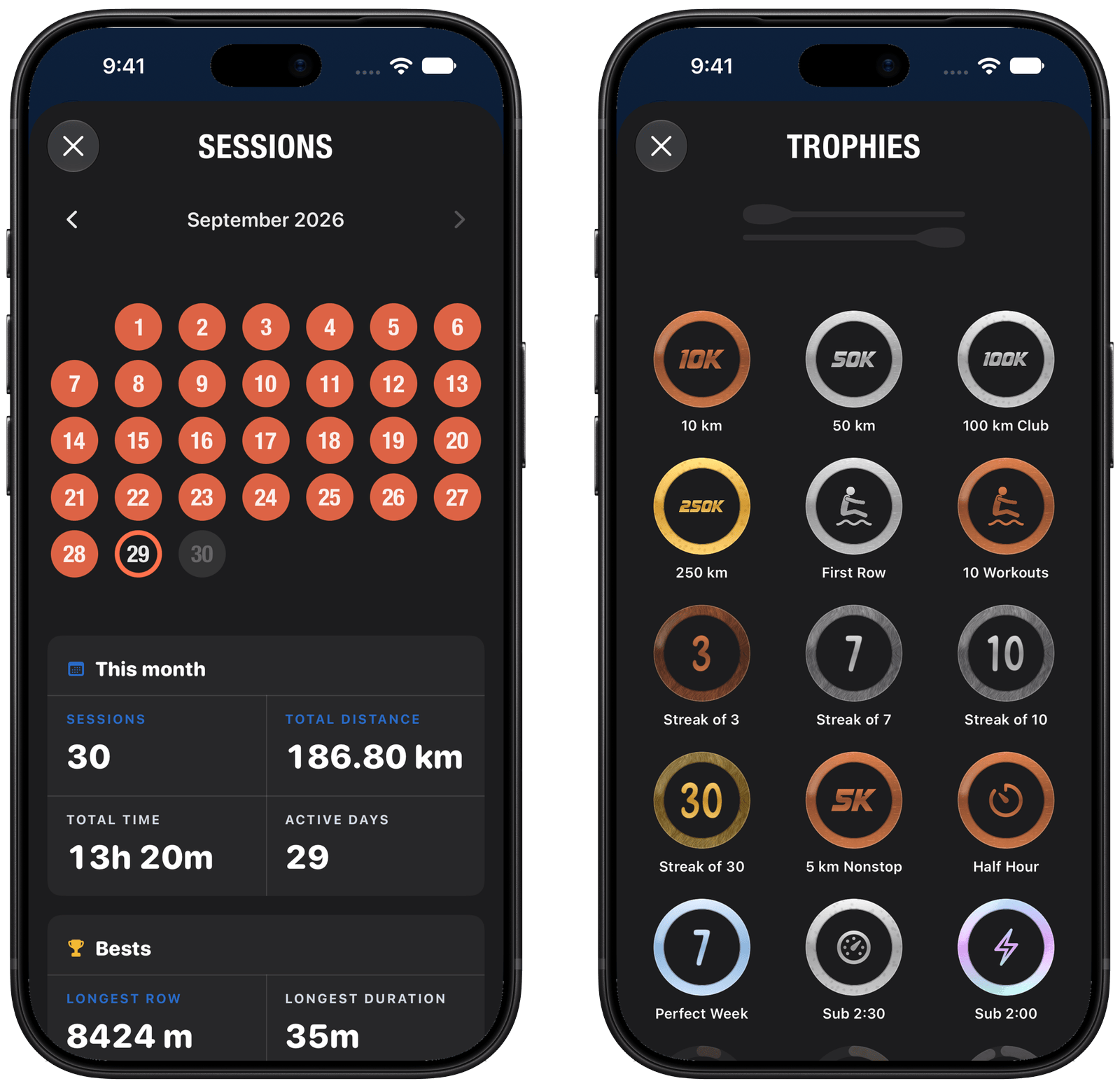
Each row you complete is marked on your calendar, just like in Streaks.
- Rowing days: choose which days you plan to row, so rest days don't break your streak.
- Personal bests: your fastest 500m, 1000m, 2000m and 5000m are saved, and you're told as soon as you beat one.
- Trophies: collect them as you go.
Share Your Row
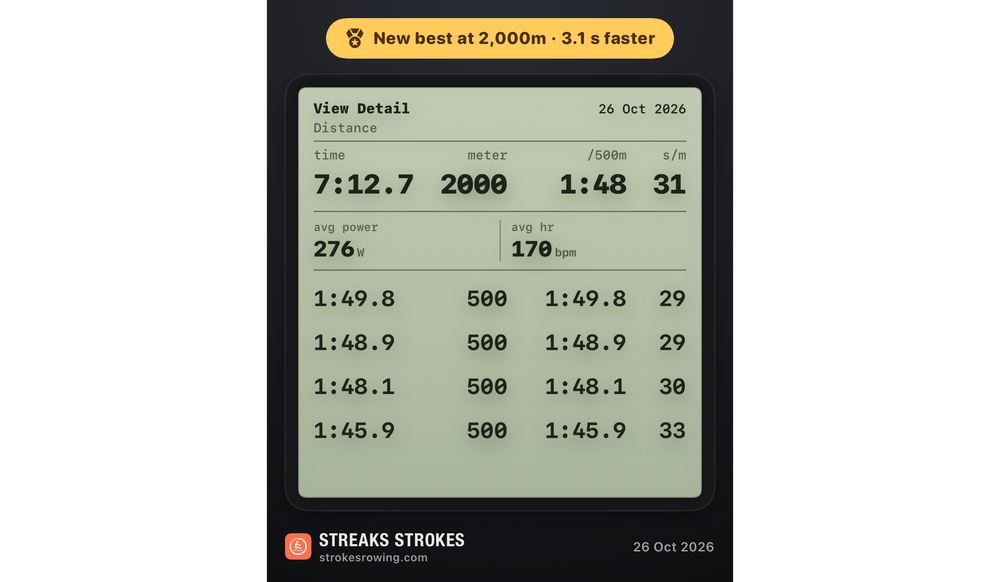
Rowers love to share a new 2K or a big month, usually as a photo of the monitor. In Streaks Strokes, tap the share button when you finish a row and you'll get an image of your result to post wherever you like.
You can also share your personal bests, a trophy, or your totals for a month, a year or all time. Each comes in three styles, including one drawn like your monitor's results screen.
Workouts
Streaks Strokes comes with several free workout types, including Just Row, Ring Chaser and the Benchmarks workout pack.
Ring Chaser takes whatever is left of your Move and Exercise rings for the day, and the row finishes when you've closed them.
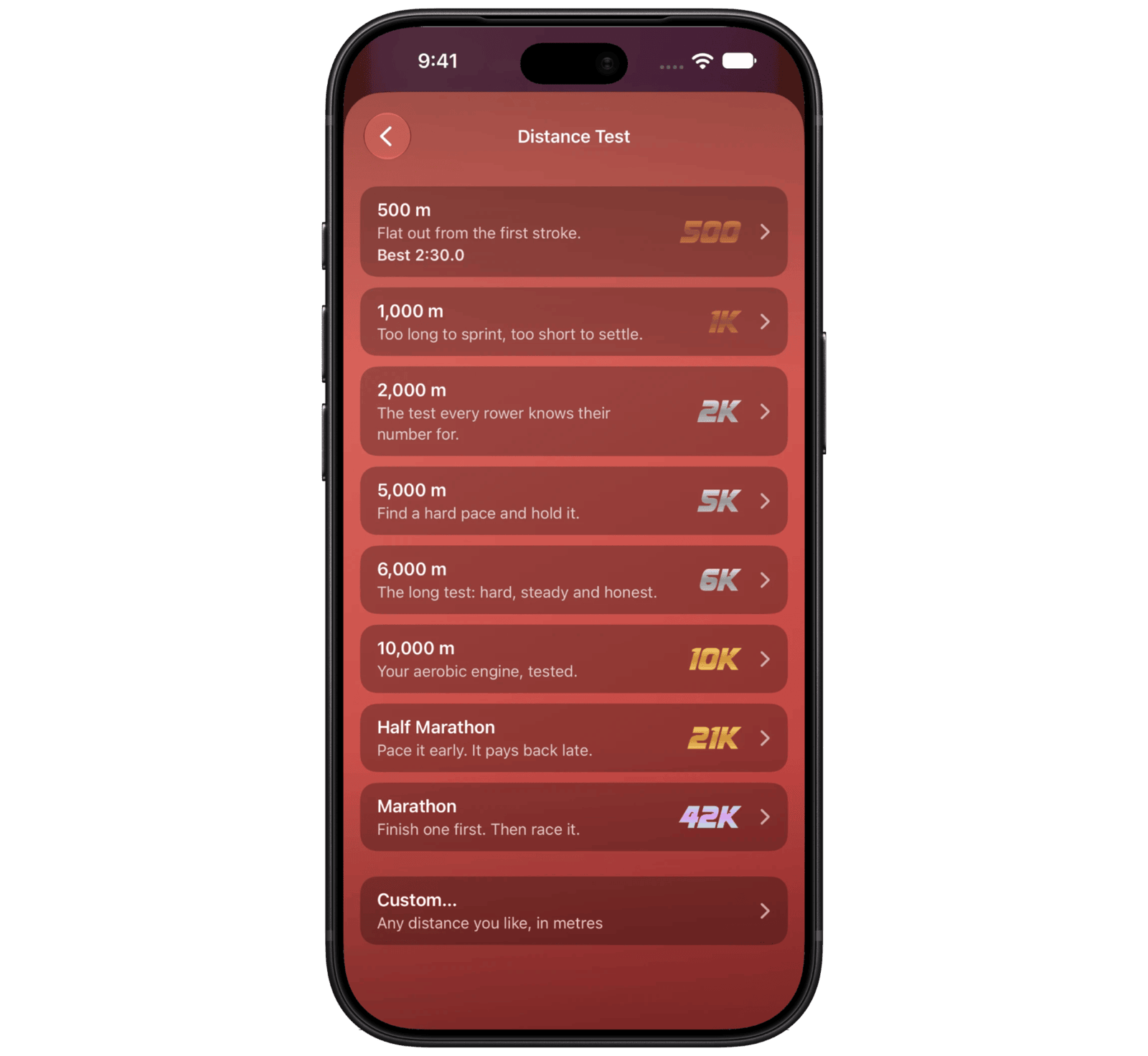
Benchmarks is for testing yourself. Choose a distance or a time (such as a 2K or 30 minutes), or enter your own. Row it, and next time the app paces you against your best.
If you want more structure, there are five more workout packs:
- Fundamentals: row to a time or a distance.
- The Sweet Spot: stay within a heart rate, pace, stroke rate or power range. The clock only counts while you're inside it, which is great for Zone 2 training.
- Against the Current: intervals and sprints.
- The Long Haul: longer endurance rows.
- The Engine Room: stroke rate and power ladders.
Each pack is a one-off purchase, or you can unlock everything at once. There's no subscription, no account and no ads.
Why Rowing?
Lots of people, including myself, find running difficult. Flat feet and knee injuries can make it painful, and for some people even cycling can be uncomfortable.
A rowing machine is much easier on your joints. You stay seated, it works your legs, core and arms, and it still gets your heart rate up.
More Information
Concept2, RowErg and PM5 are trademarks of Concept2, Inc. Streaks Strokes is not affiliated with or endorsed by Concept2.