If you're using Claude Code on the command-line or in the Claude app (as opposed to directly within Xcode), you can connect it to the Xcode 27 MCP server as follows:
- Enable it in Xcode
Xcode → Settings → Intelligence → Model Context Protocol, tick "Allow external agents to use Xcode tools."
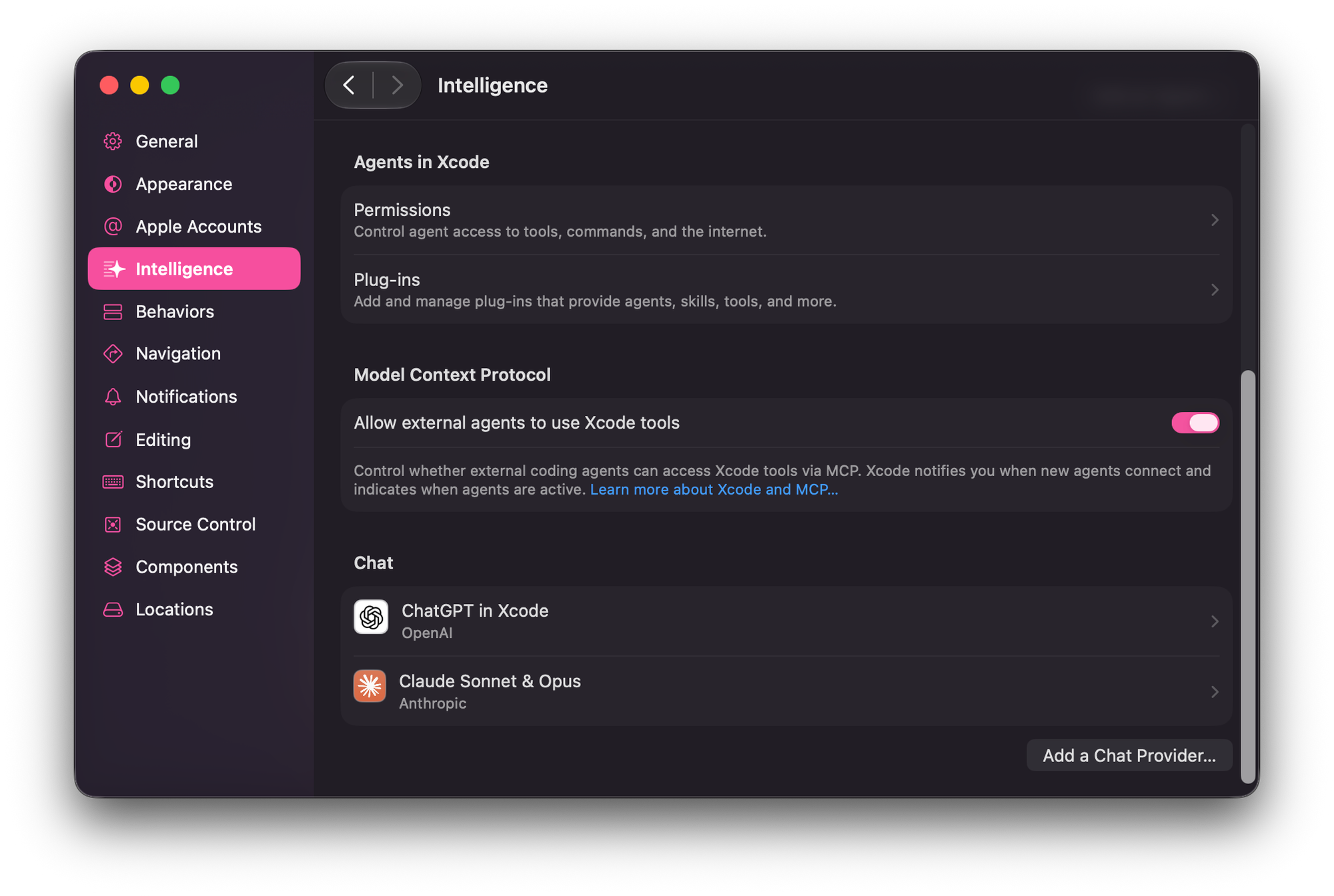
- Register it with Claude Code
claude mcp add --scope user --transport stdio xcode -- xcrun mcpbridge- Verify the connection
claude mcp listSteps 2 and 3 may trigger a permissions prompt in Xcode.
- Use it:
Build & Run
- Build a project — compile the active scheme, optionally including test targets, and return errors/warnings
- Run / Stop — build-and-run the current scheme (like Cmd+R), optionally attaching the debugger on launch, then stop it
- Read build logs — pull full build output to diagnose failures
Testing
- List tests — enumerate test targets, classes, and methods
- Run all tests or run a specific subset — target a single class/method for fast iteration
Schemes & Run Destinations
- List / switch schemes
- List / switch run destinations — pick the simulator, device, or "My Mac"
Debugging & Console
- Read console output from a running app
- Send LLDB commands — runs in the same debug session as Xcode's console, so the assistant and the Xcode UI share debugging state
(bt,po, breakpoints, stepping, etc.) - Run a code snippet in a file's context — executes Swift with access to that source file's declarations (including
fileprivate) and
returns itsprintoutput
File & Project Editing (Xcode-aware)
- Read / write / update files in the project
- Glob / grep / list to search by pattern or content
- Move / delete / make directories
- List Issue Navigator issues — read the errors, warnings, and package/workspace problems Xcode currently shows, filterable by path or
severity
Build Settings & Configuration
- Get / update target build settings (via the tools, not by editing
project.pbxprojdirectly) - Get / update per-file compiler flags
- Add entitlements — only for code-signing–gated capabilities (App Groups, iCloud, Push, etc.)
- Add / update Info.plist keys — privacy usage descriptions, orientations, URL schemes, background modes, and other metadata
SwiftUI Previews
- Render a preview to an image — pick which
#Preview/PreviewProviderin the file, and override localization, preview
variants, and canvas controls like a widget / Live Activity timeline index or toggle state
Localization
- Insert String Catalog (
.xcstrings) translations per locale, with plural and substitution support (gated behind a translation
skill/workflow) - Localization planning — prepare the project to add a new language
Crash & Field Performance Insights (from Apple's reporting service — App Store & TestFlight)
- Top crash signatures — last 14 days, ranked by number of affected devices; filter by version, platform, and release channel — plus the
crash logs for a given signature - Top field performance issues across four diagnostic types: launches, hangs, disk writes, energy — plus their detailed logs
Simulator / Device UI Automation
- Start an interaction session, install and run a build, synthesize input (tap, swipe, type, hardware buttons, orientation
changes) using coordinates from the live UI hierarchy dump, capture screenshots + hierarchy, then end the session
Documentation
- Search Apple Developer documentation by semantic query, optionally scoped to specific frameworks